Fotovize
Passport photos at home. One payment, unlimited shots. No ads.
Fotovize lets you prepare the biometric photo required for ID cards, passports, driver's licences and visa applications at home with your phone. No trip to a photo studio: it sets the background to the plain colour the document asks for (white or light grey), crops to the right size, checks compliance and gives you a print-ready sheet.
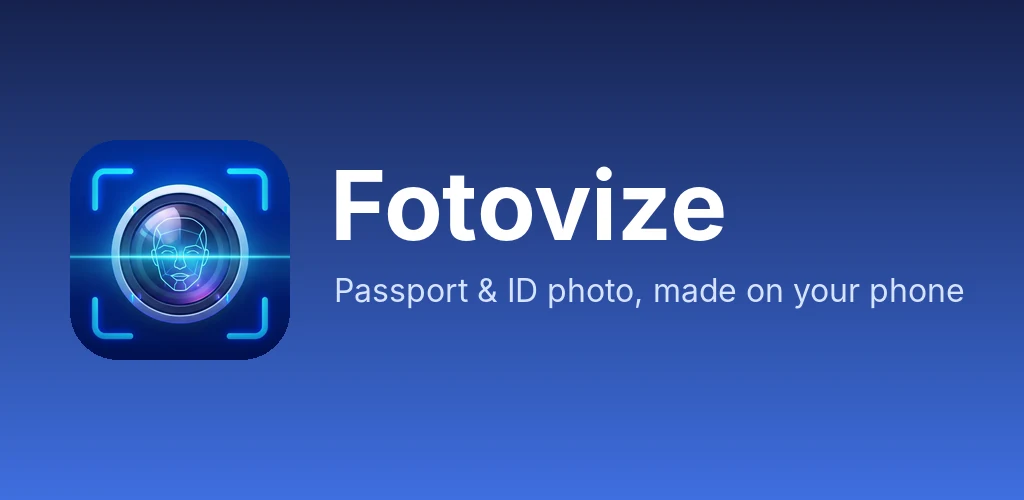
Your photo never leaves your phone
Fotovize does all processing on your device. Your photo and face data are never sent to any server, and no account is needed. Capture, background, cropping and checks work offline. The internet is used only when you buy the full version. Your photos and face data are never sent to any server, analytics tool or third party, and the app has no ads and no third-party analytics.
How it works
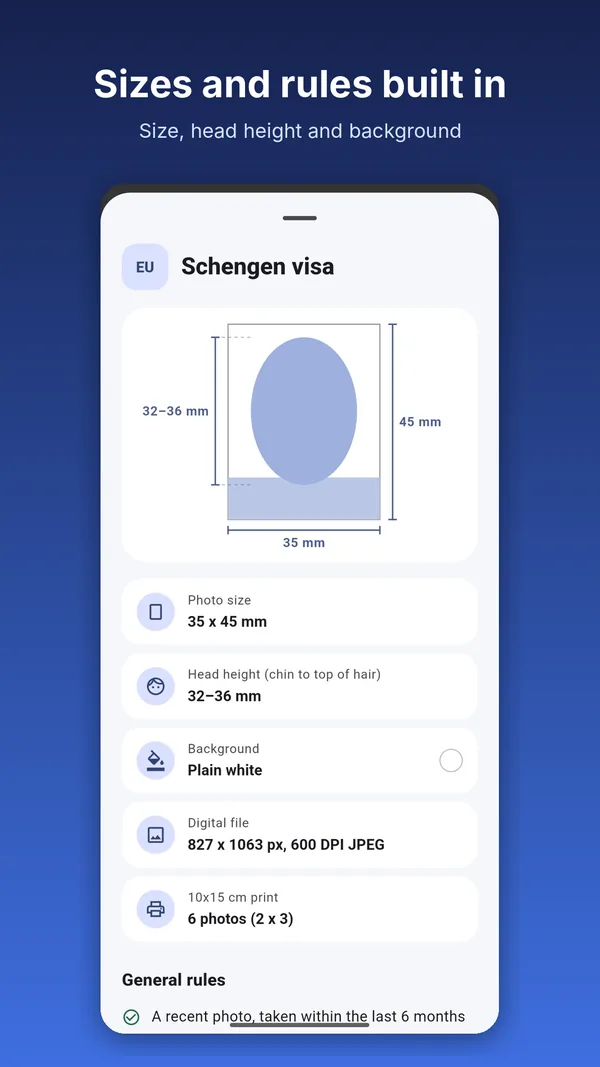
- Choose a documentSearch among dozens of countries and document sizes by country or document name, or browse by region. Size and background colour are set automatically.
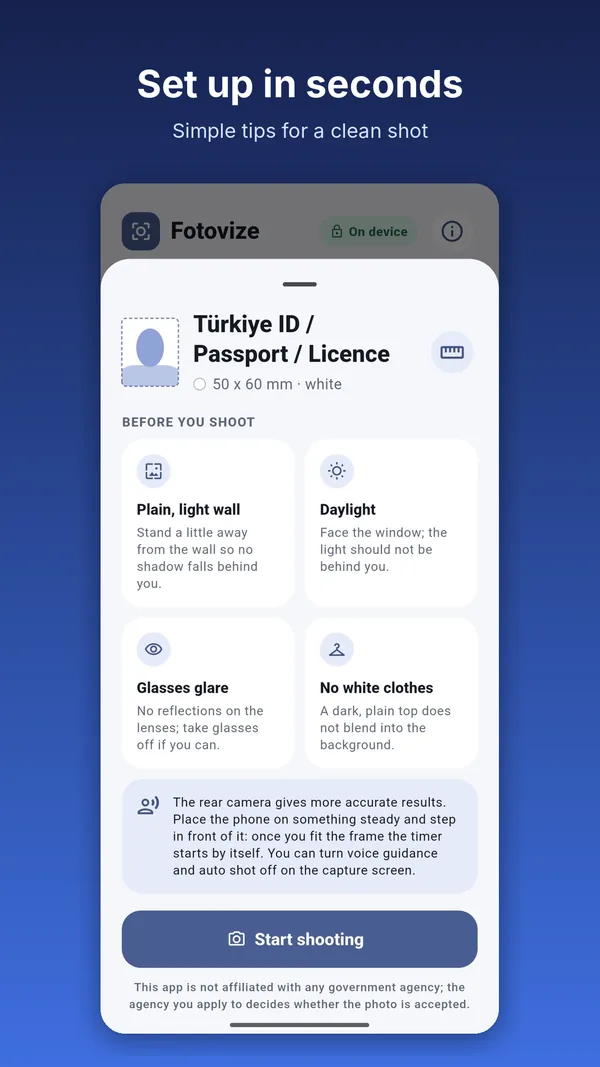
- Follow the short guideTips for a plain wall, daylight, glasses glare and clothing colour.
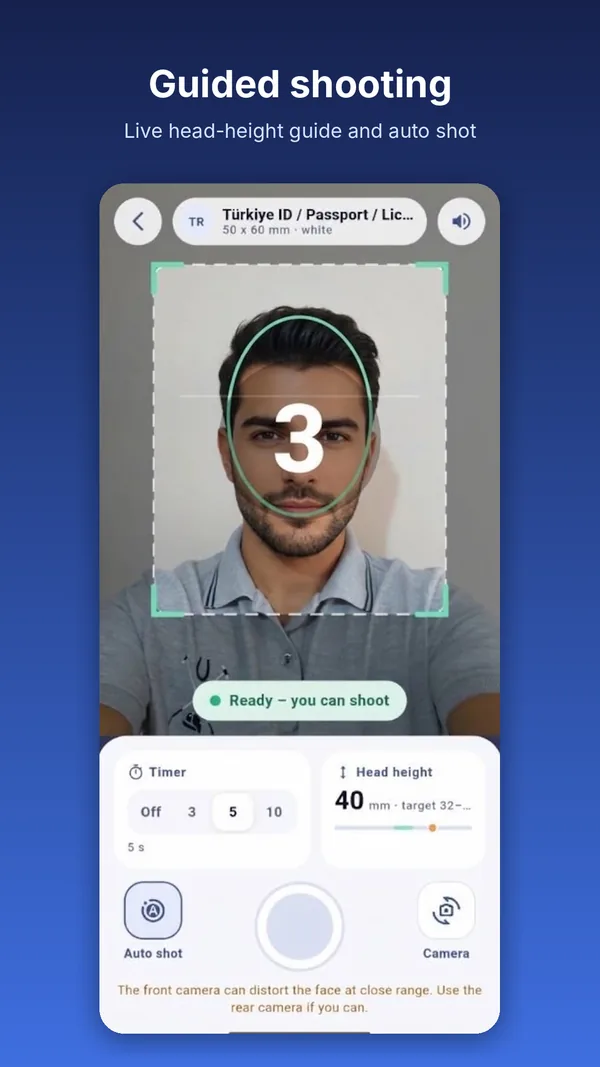
- Shoot with the rear cameraA face guide and voice prompts ("move left", "keep your head straight", "open your eyes") help you. Your face does not have to sit exactly in the middle of the guide; if the photo fits the document crop and the head is large enough, you can shoot.
- Auto-captureA countdown starts when your face is ready; prop the phone up and shoot alone.
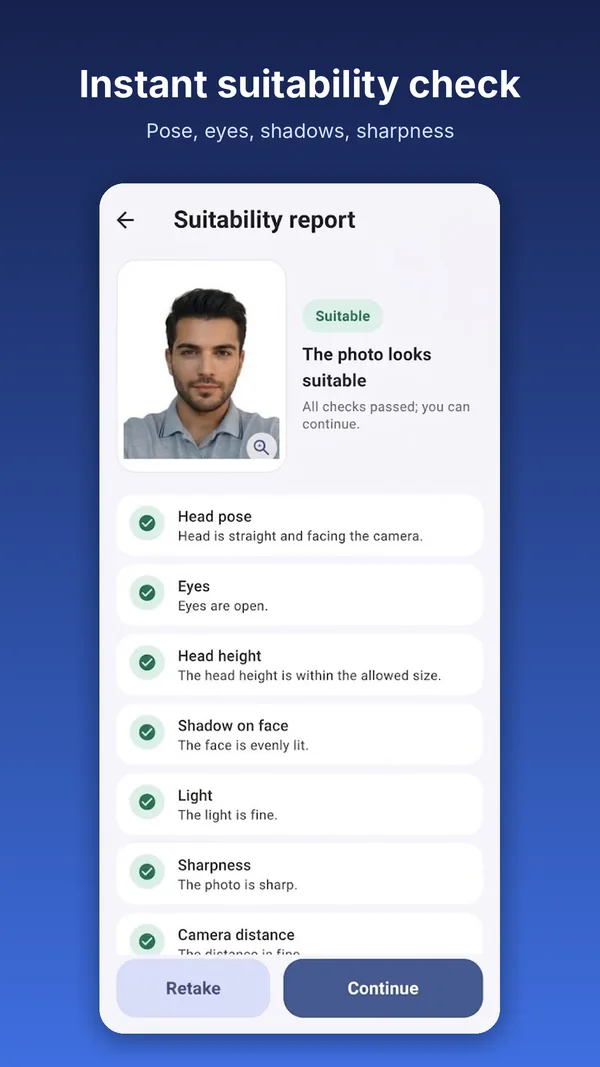
- Review the compliance reportEach check is green, yellow or red, with advice when something is off.
- Save or shareThe 10x15 cm print sheet and a single digital file.
Your face is never edited
No beautifying, retouching, light and colour correction, or AI editing. Only the background is changed to the plain colour the document asks for (white or light grey), and the photo is cropped and resized to the document size. For documents that do not ask for a white background (France, for example), light grey is chosen automatically.
Compliance report
- Head pose
- Open eyes
- Head height
- Face shadows
- Exposure
- Sharpness
- Camera distance
- Background cleanliness
- Resolution
The report is a helper for photo quality. The authority you apply to makes the final decision.
Print-ready output
- 10x15 cm (4x6 in) print sheet laid out automatically (e.g. 4 photos for 50x60 mm, 6 for 35x45 mm)
- Cut lines and a 10 mm check ruler
- JPEG (300 DPI, suited to photo-lab printing) and a PDF with true millimetre dimensions
- A single digital file, 600 DPI, sRGB, with location and device data (EXIF) removed
Print on photo paper at 100% actual size (turn off "fit to page").
Supported documents
Turkey ID/passport/driver's licence, Schengen visa, US, UK, Canada, China, Japan, Australia, India, South Korea, Germany, the Netherlands, Switzerland, Poland, Sweden, Ireland, Mexico, Hong Kong, Taiwan, Thailand and dozens more countries. The list keeps growing.
Price
Try capture, background cleanup and the compliance report for free; the preview is watermarked. The full version is a one-time payment: no per-document fee, no subscription, no ads. Unlock it once and make as many photos as you need for all document types. You can restore purchases at any time.
Languages
English, Turkish, German, Spanish, French, Portuguese, Arabic, Russian, Chinese, Korean and Japanese. The app follows your phone's language. In the English interface the print sheet is shown as 4x6 in, and documents sized 2x2 in are also shown in inches.
FAQ
Is my photo uploaded to a server?
No. All processing is on your phone.
Do I need an account?
No.
Do I need internet?
Not for capture or processing; only to buy the full version.
Does it retouch my face?
No. Only background, cropping and resizing.
Will my photo be accepted?
We cannot guarantee it. The app checks size and quality; the authority you apply to decides.
How do I print?
Print the 10x15 cm sheet or PDF on photo paper at 100% actual size (turn off "fit to page"); the check ruler should measure 10 mm.
I changed phones.
Use "Restore purchases" in the app.
Does the app have ads or an analytics tool?
No. There are no ads and no third-party analytics; your photo and face data are never sent to any third party.
Does my face have to be exactly in the middle of the guide?
No. If the photo fits the document crop and the head is large enough, you can shoot.
Is the background always white?
It is whatever the document asks for: white or light grey. For documents that do not ask for white, such as France, light grey is chosen automatically.
How do I request data deletion?
Email zdksoftware@gmail.com; details are in the privacy policy.
Privacy policy · GDPR / KVKK notice · Data deletion request · zdksoftware@gmail.com